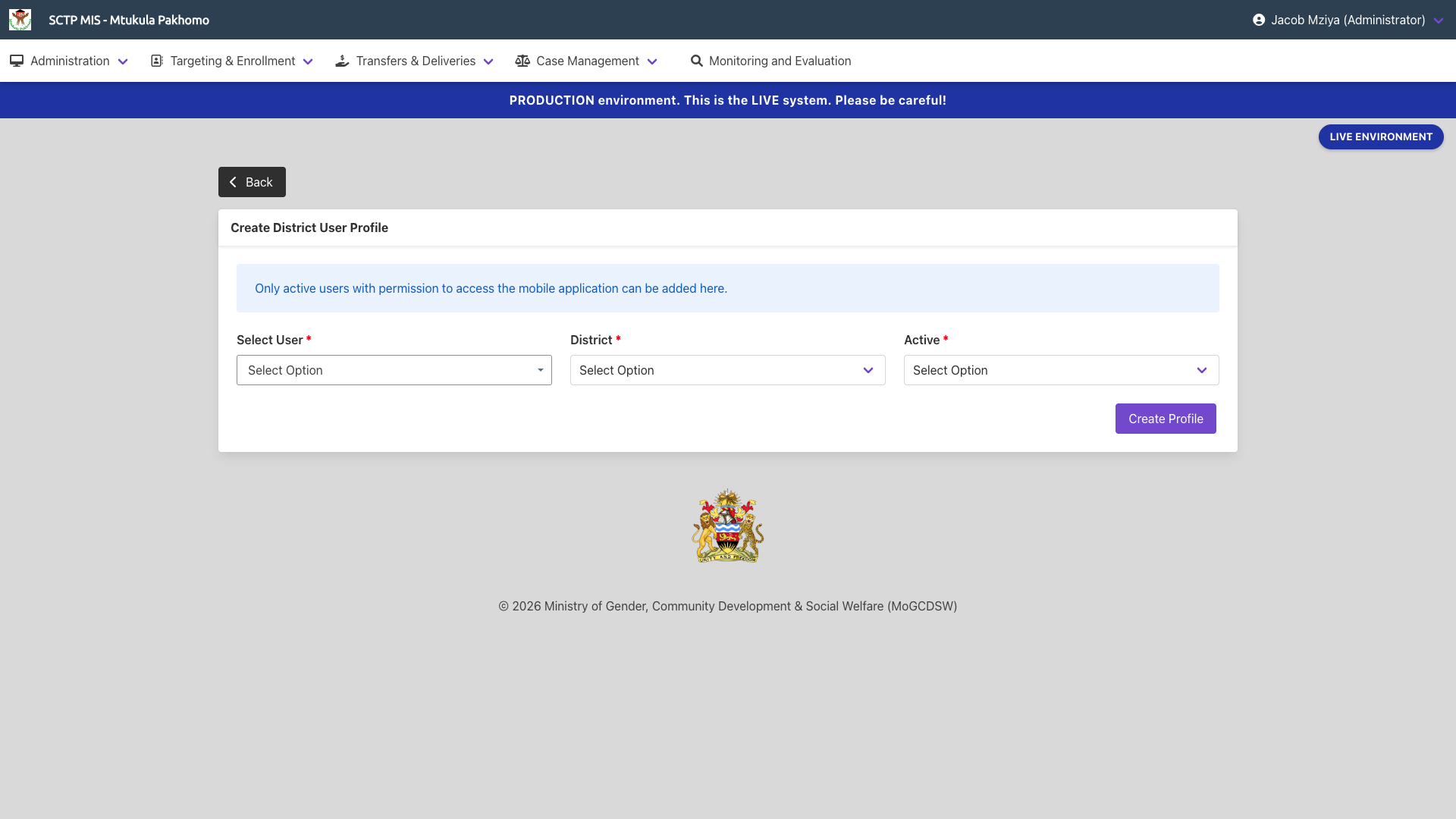
The supported programmes require district officers to operate mobile app functions only for the district they operate in. This is largely to limit geolocation tasks to a limited number of options.
The District User Profile functions of the module allows the management of district user profile for this purpose.
To allow a user to be able to access the Mobile App, you need to create a District User Profile for them. Navigate to Administration in the main menu, and click on District User Profiles
A list of all users with a District Profile is presented. These are users that can access the mobile app, and only access data for the district they are assigned to. A user can only be assigned one district at a time.
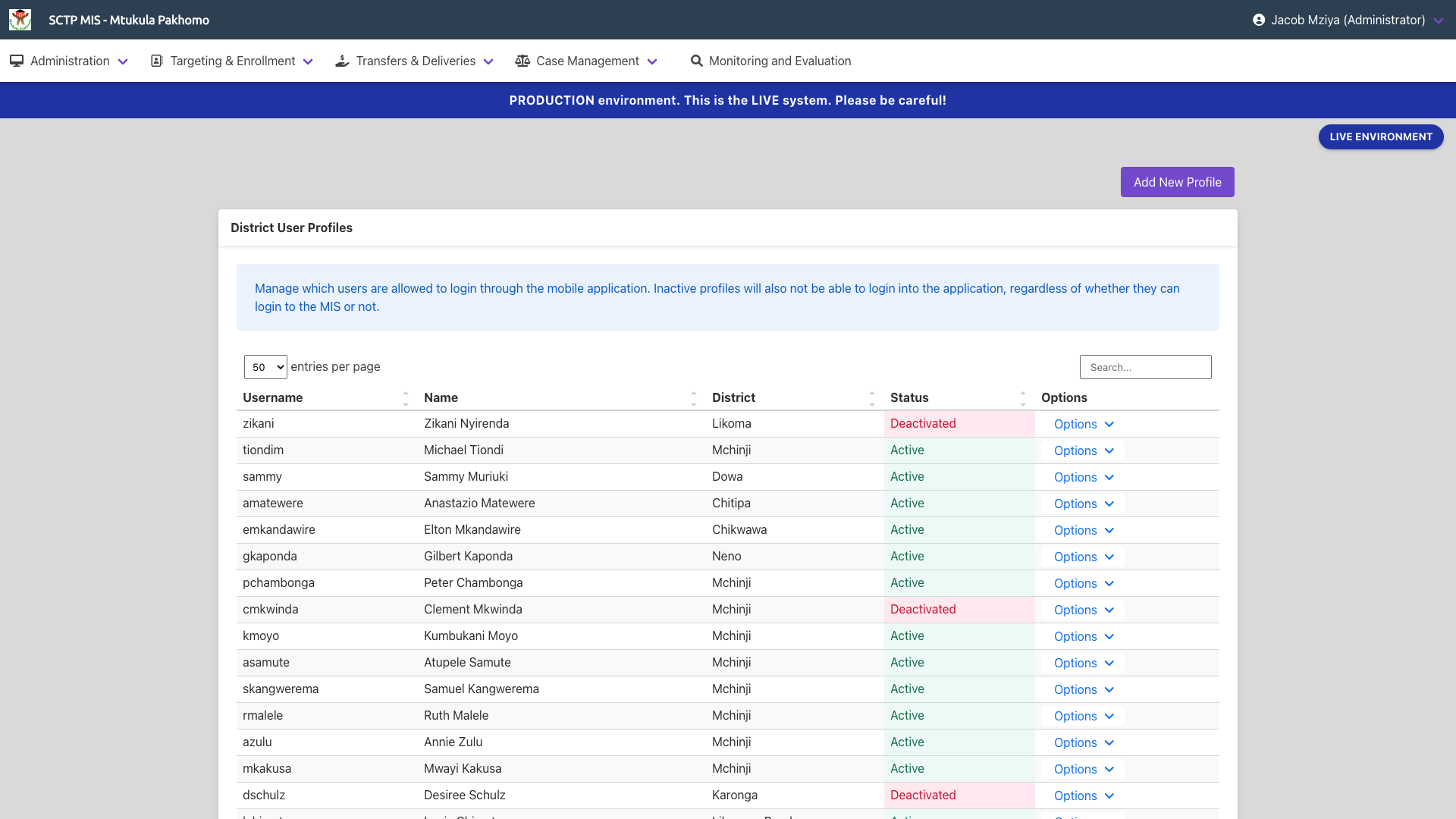
- If the desired user is available in the list, click on the options dropdown button at the end of the user's row and select
Edit Districtto assign to a different district.
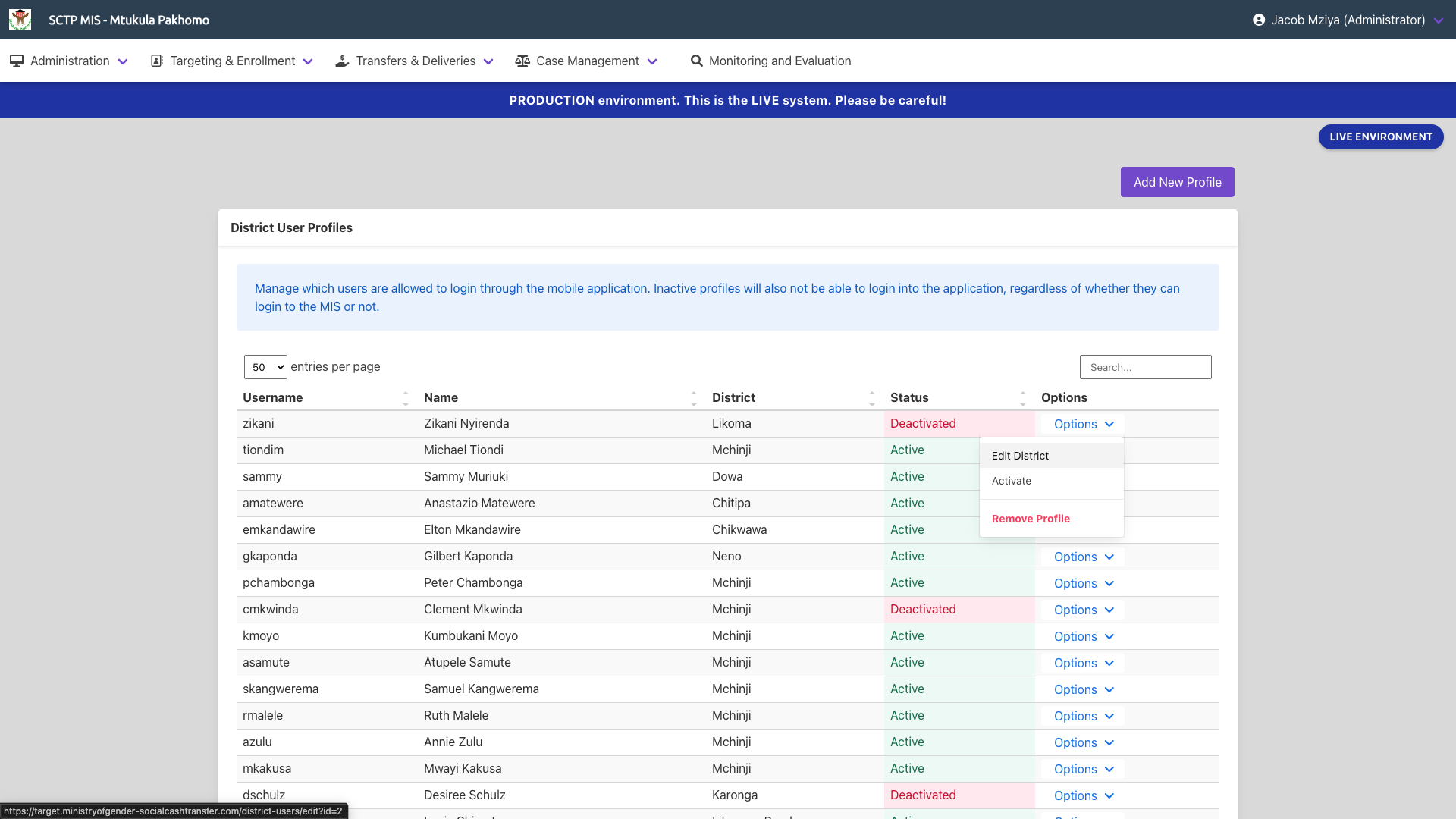
- Click on
Deactivateto temporarily restrict the user from logging in to the mobile application despite the location they have been assigned to and Click onActivateto activate the user.
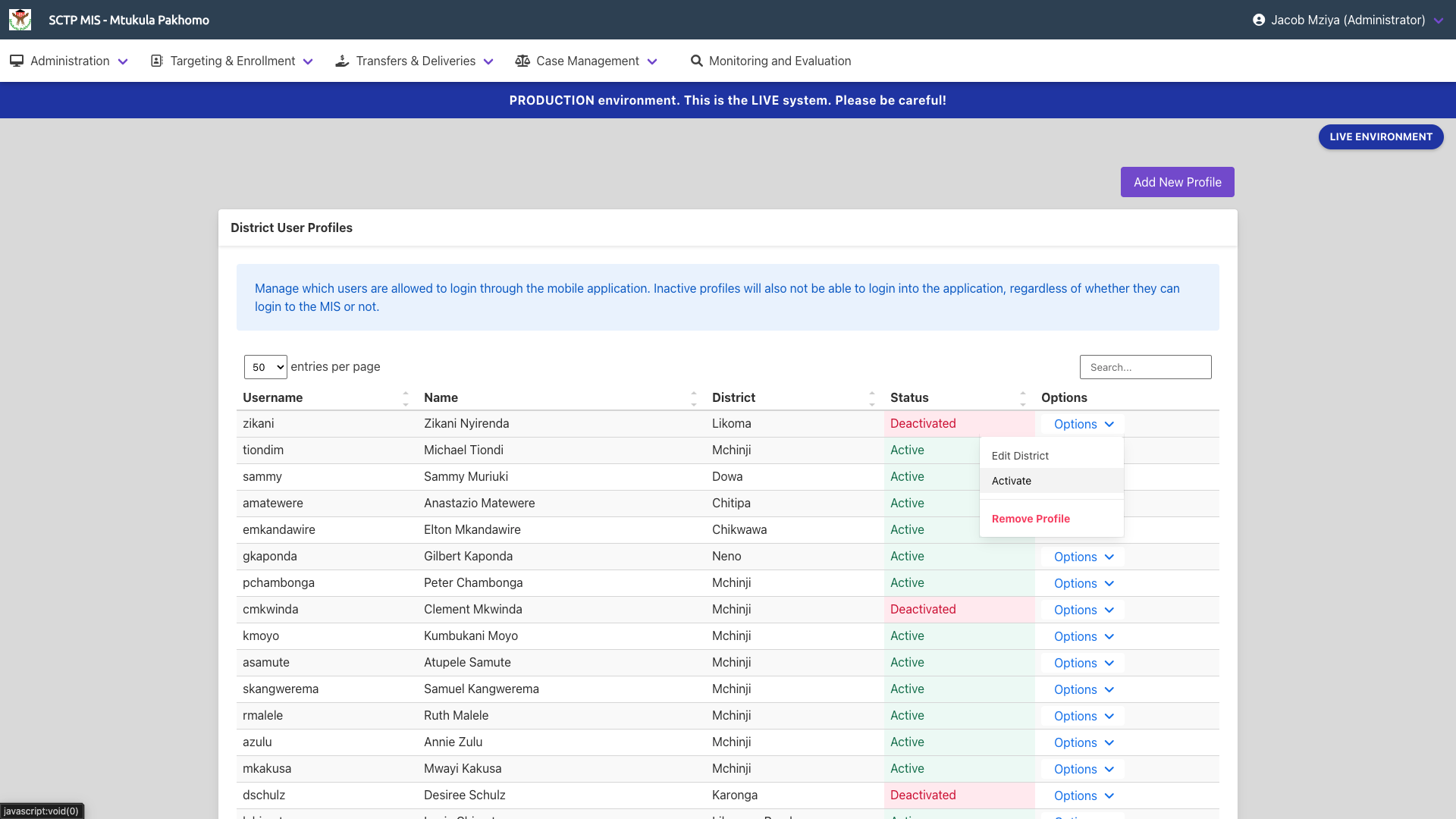
- Click on
Remove Profileto completely remove a user's account from logging in to the mobile application.
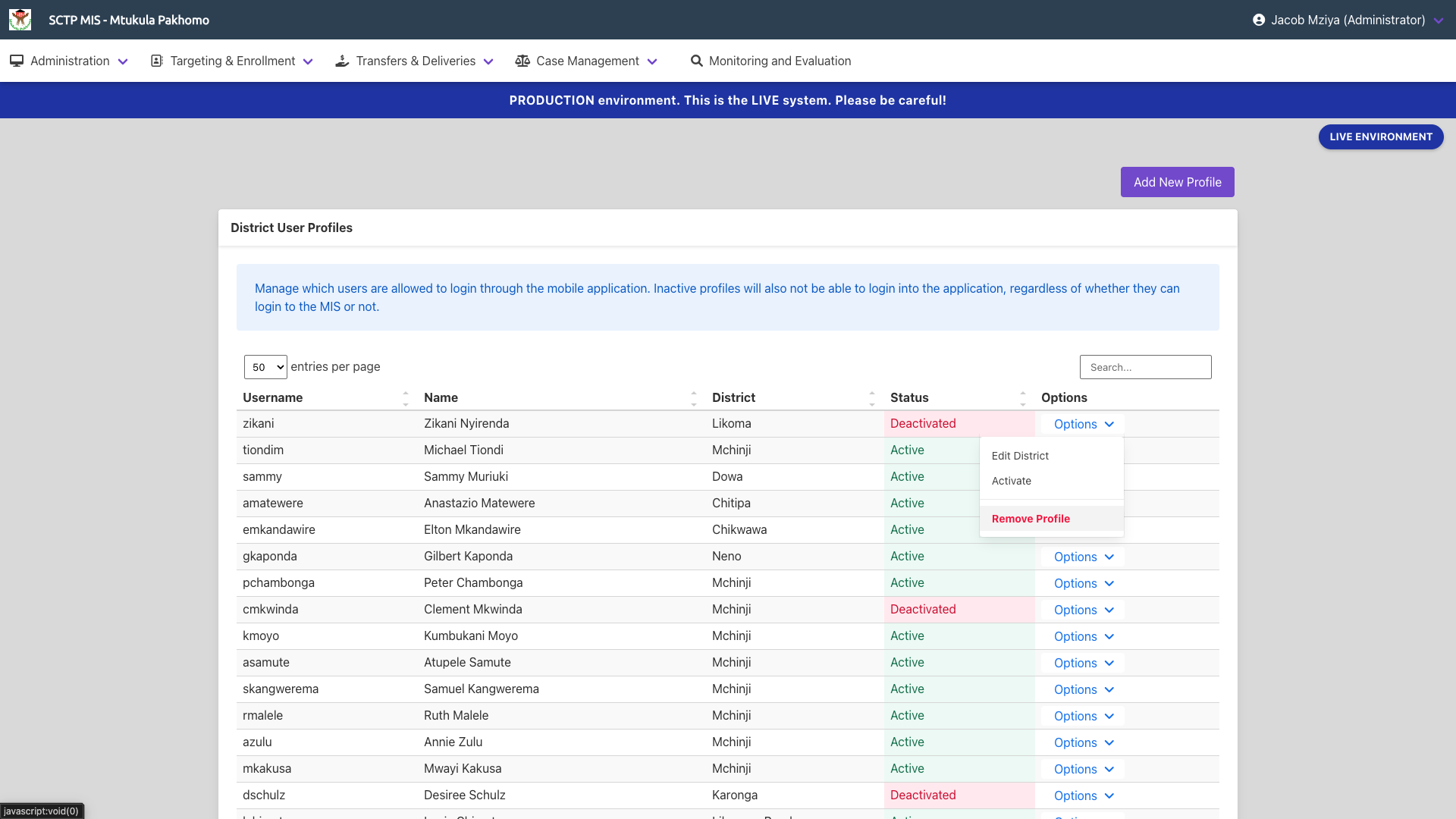
- If the desired user is not available in the list, click on Add New Profile and proceed with the next steps.