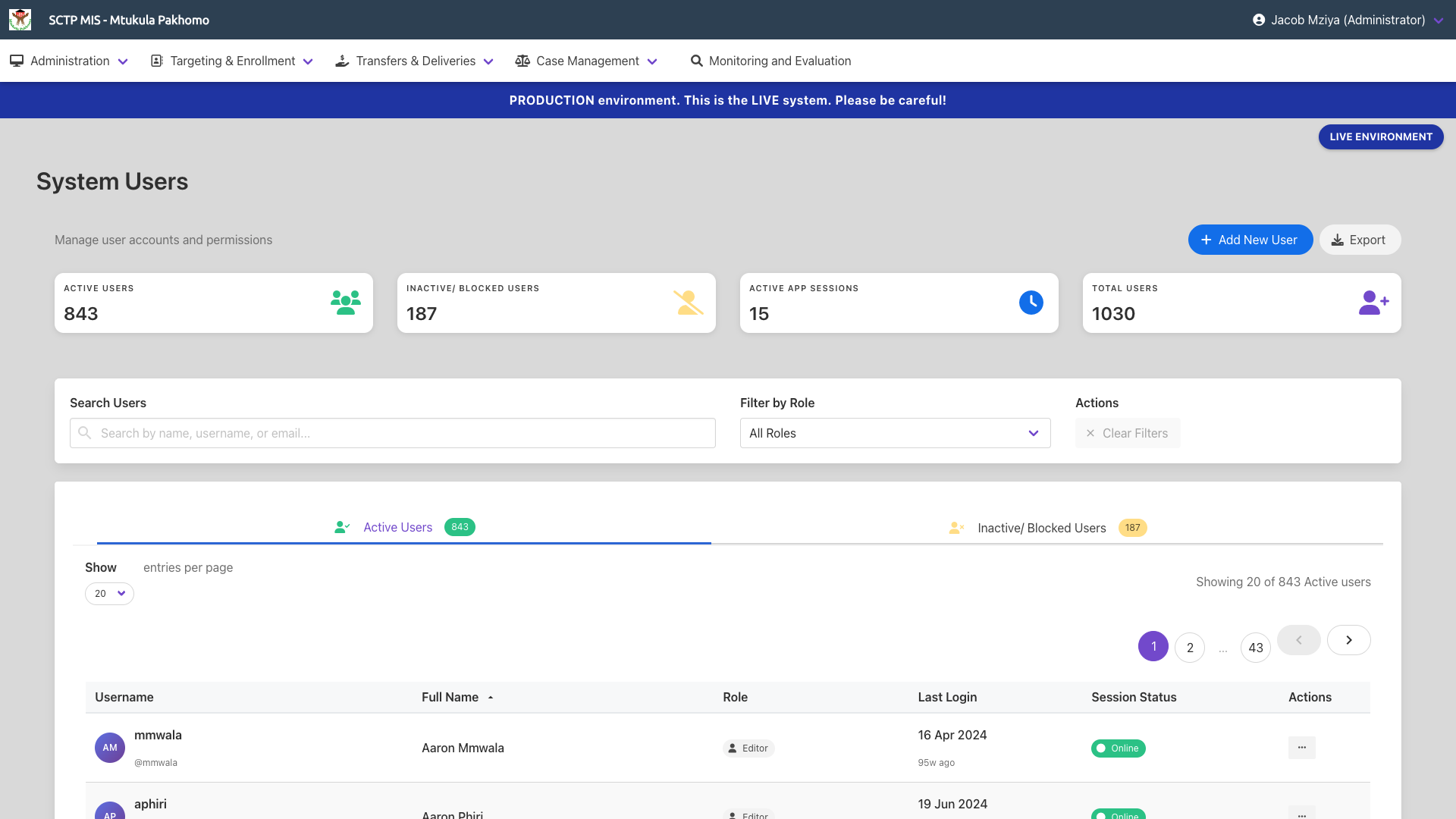
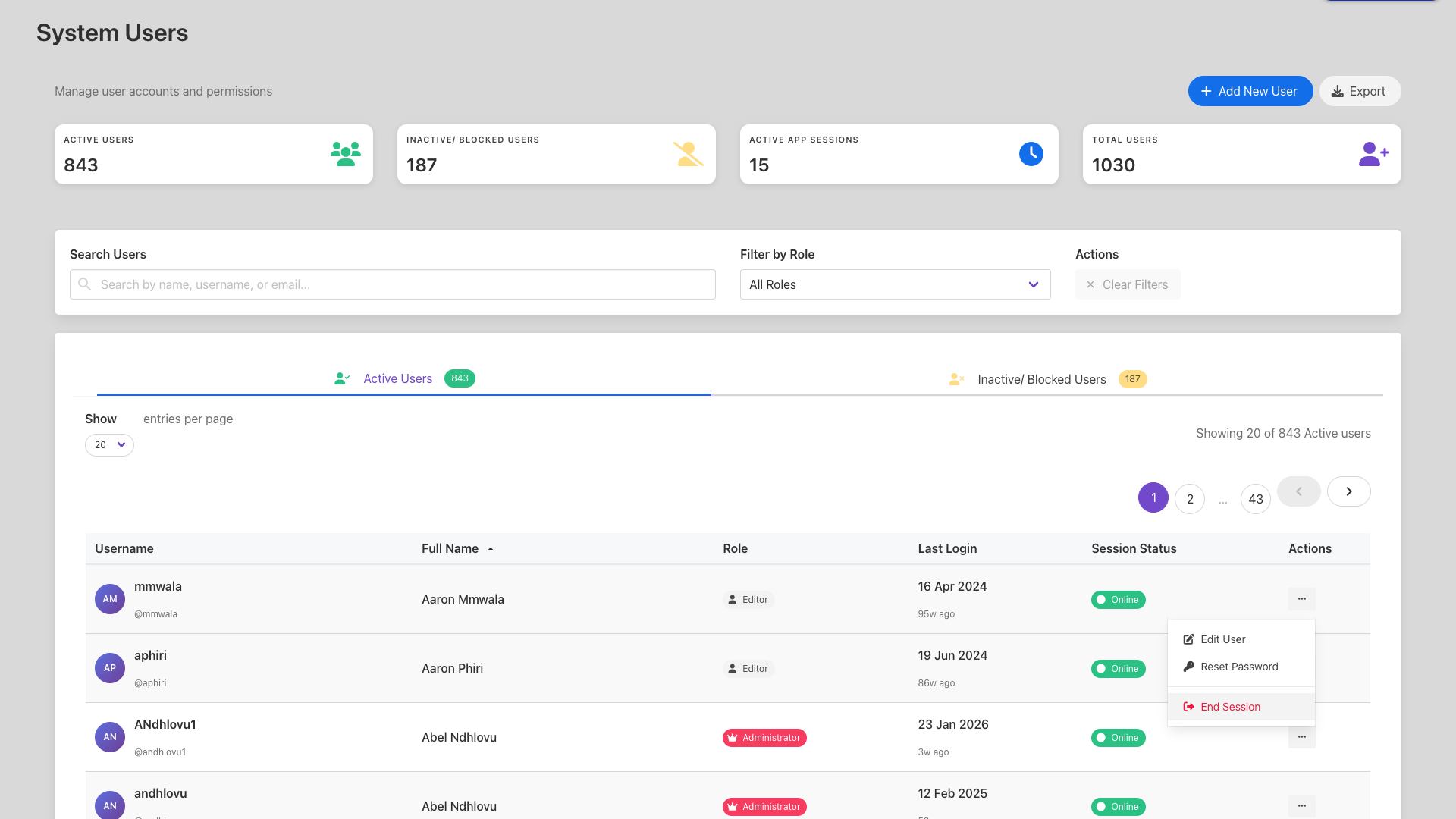
The System Users page shows quick stats at the top:
- Active Users,
- Inactive/ Blocked users (users who are blocked by the administrator or by the system due to entering an incorrect username password combination on three consecutive attempts,
- Active App Sessions (users who are currently logged in to the mobile app),
- Total Users (all users despite their state)
The search bar allows for search for a user by name, username, or email, and also filtering by role. This automatically reflects to the stats.
Add New User button is used to create a user and Export button downloads the users. If filters are applied, only the filtered users are downloaded.
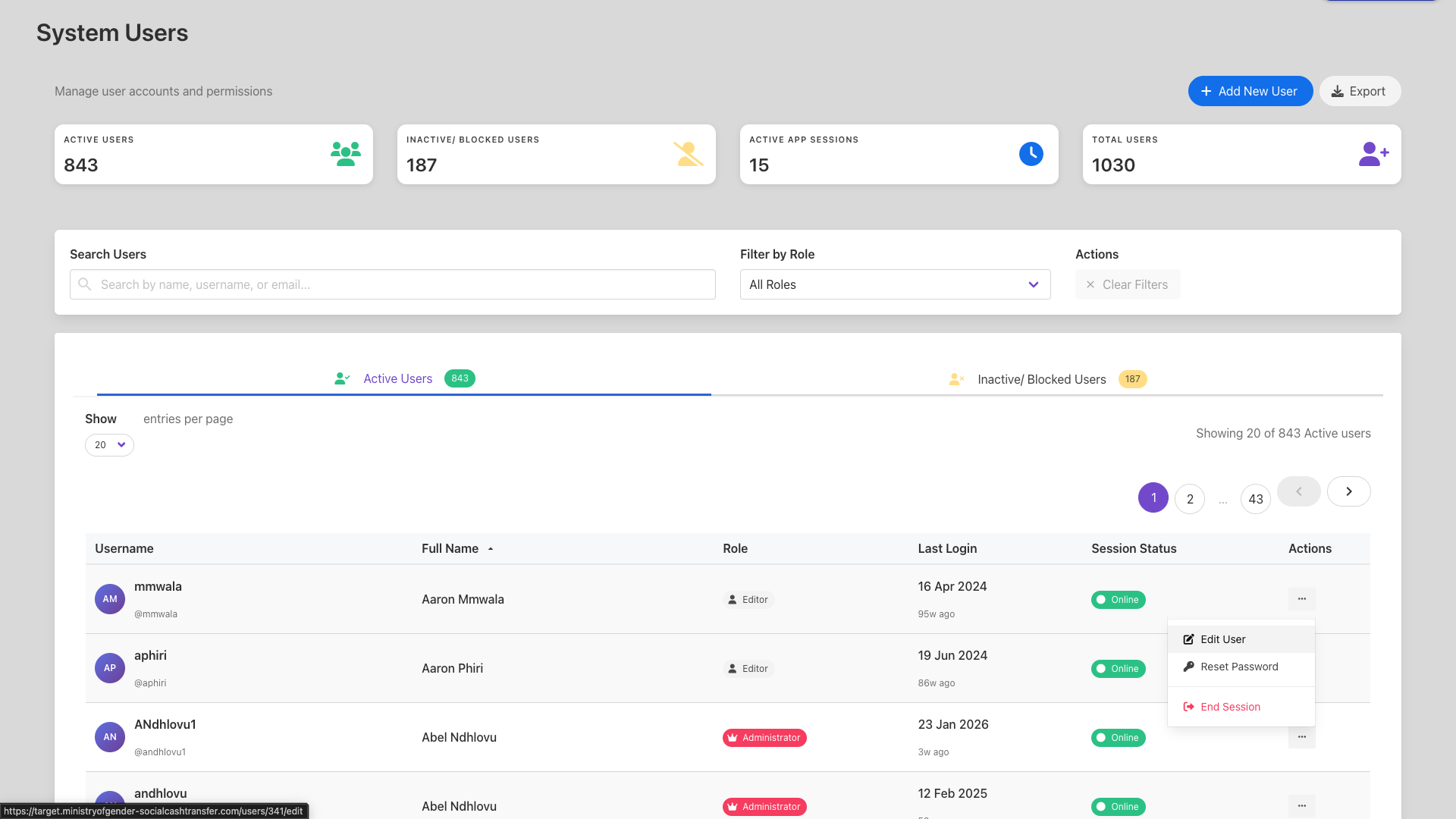
Under the default "Active Users" tab.
- Click on
Edit Userunder the actions three dotted lines on a desired user's row to edit the details of that specific user.
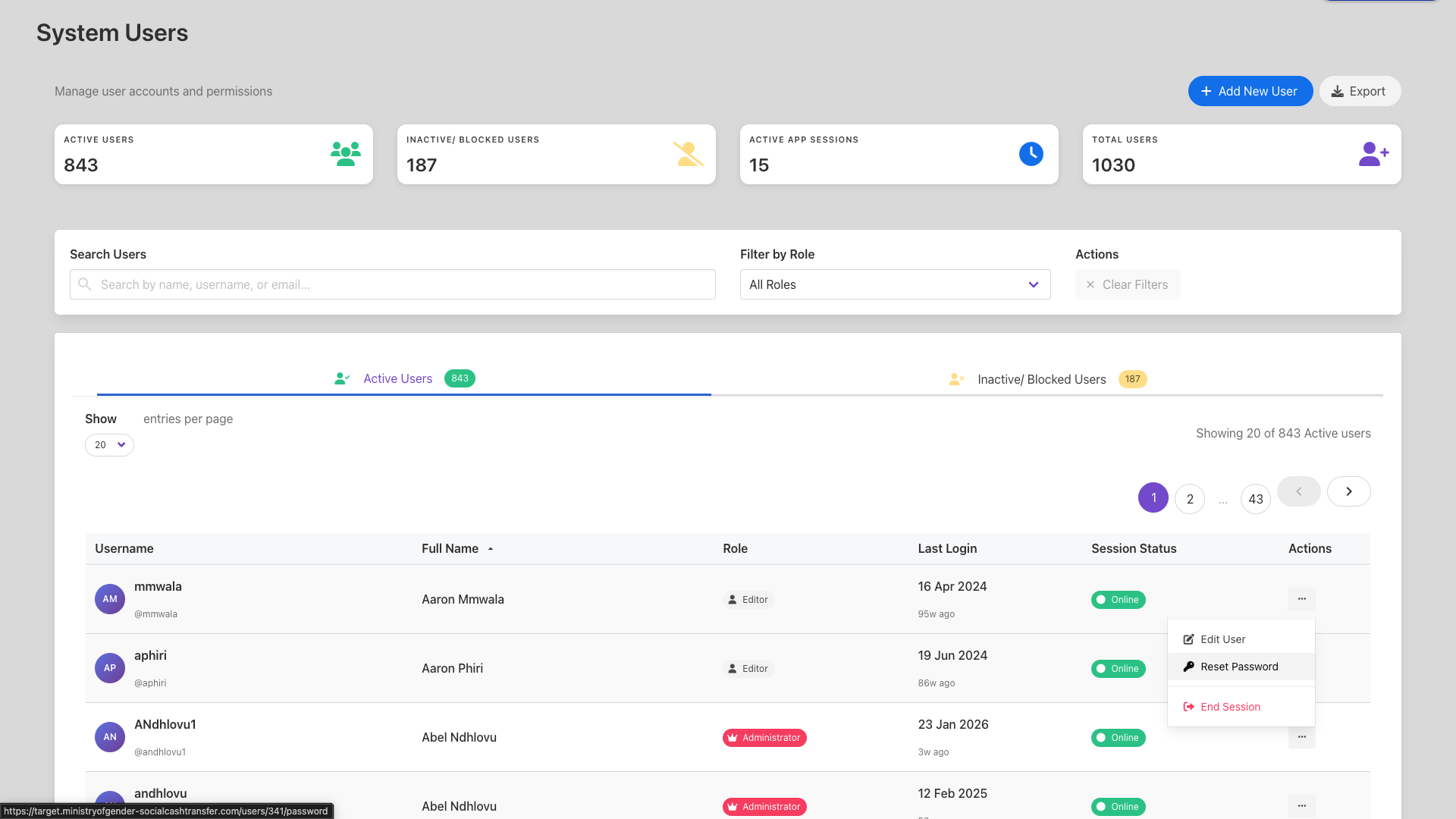
- Click on
Reset Passwordto change the password for the user
- Click on
End Sessionto log the user out of their mobile application
¶ Adding a New User
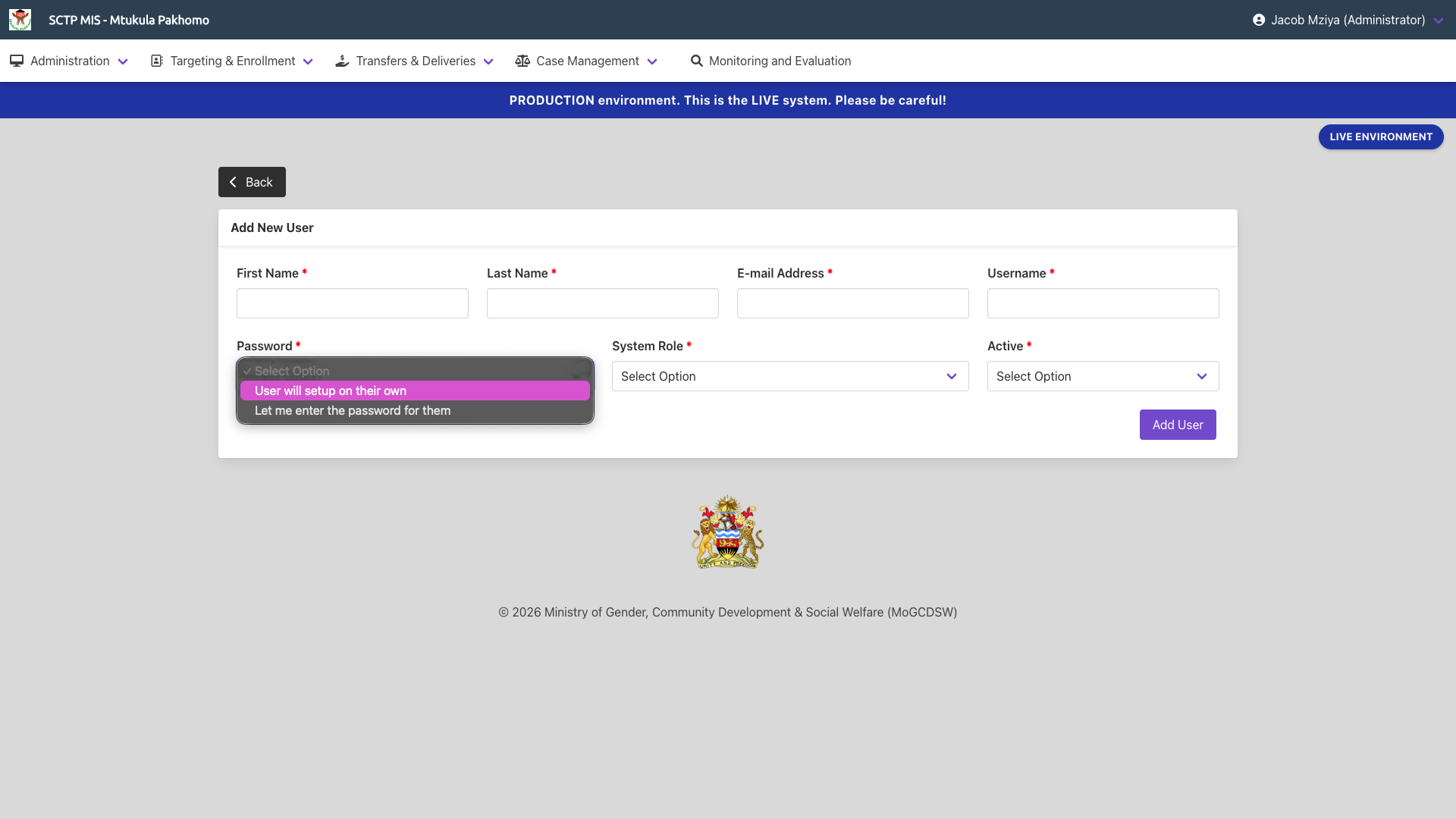
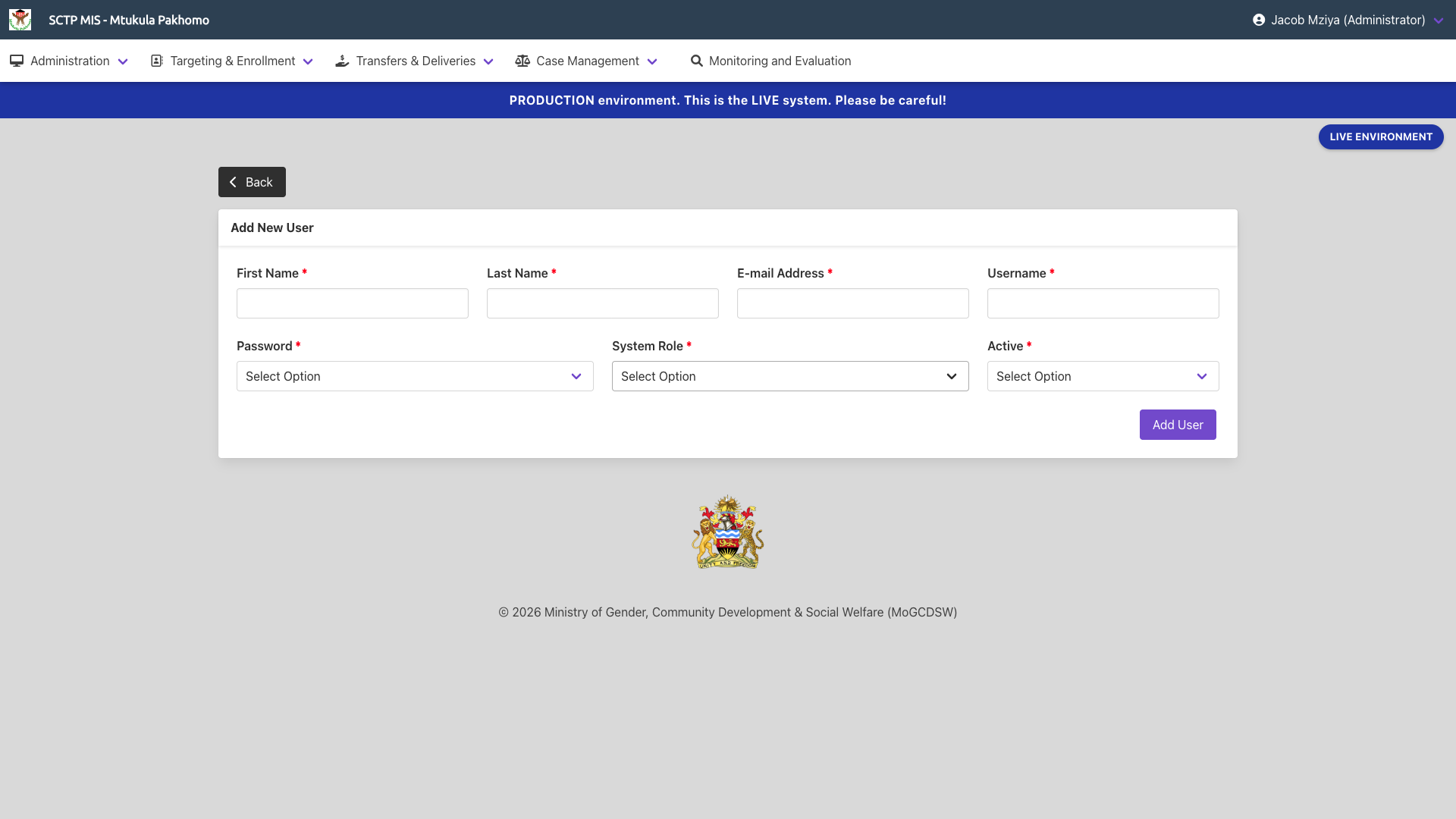
Click on the Add New User to add a new user and fill in all the other details as to the page below.
¶ Password Options
When adding a new user the following options are available for the user's password
- User will setup on their own
- Let me enter the password for them